Docs · Product
Dashboard
The dashboard at readpr.dev/dashboard is where reading gets configured and where it goes on the record. Reviewers get a queue; admins get rules, members, and the audit trail.
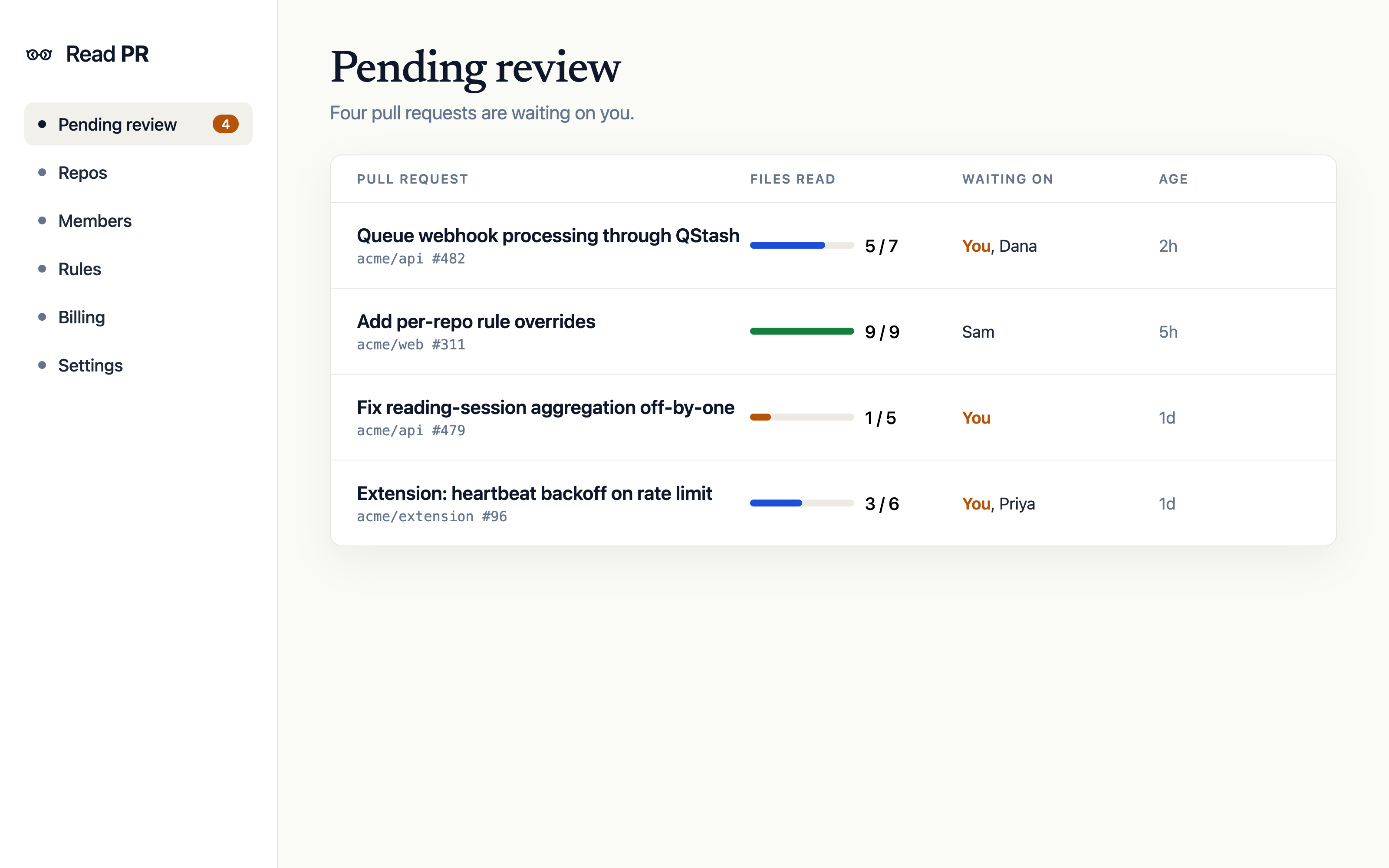
Your pages
| Page | What it holds |
|---|---|
| Reading queue | Every open PR where you are a required reader, across all workspaces, with files-read counts and time remaining. |
| Account | Your extension tokens: mint one manually, see when each was last used, revoke any of them. |
Workspace pages
A workspace maps to one GitHub App installation. Every member sees:
| Page | What it holds |
|---|---|
| Overview | Current state of the workspace at a glance. |
| Pull requests | Tracked PRs with their check state. Each PR opens into its review log: who read which file, and for how long. |
| Reviewers | Reading activity per person, with a detail page per reviewer. |
| Repos | Watched repositories, each with its rule (default or override) and its PRs. |
| Billing | Plan, trial state, and the active-reader meter for the current month. See Billing. |
Admins and owners also get:
| Page | What it holds |
|---|---|
| Analytics | Read-time distributions and completion patterns across the workspace. Business plan and up. |
| Rules | The workspace default rule. See Reading rules. |
| Members | Who is in the workspace, with owner, admin, and member roles. Invitations go out by email. |
| Audit log | Configuration changes on the record: rule edits, member changes, token events. Business plan and up. |
| Workspace settings | Workspace name, repo enablement, and danger-zone actions. |
The review log
Open any pull request from the dashboard to see its review log: one row per reviewer per file, with seconds read against seconds required. This is the artifact the check summarizes, and the thing to reach for when someone asks "was this actually reviewed?" months later. Business plans can export it.
Roles
| Role | Can |
|---|---|
| Member | Read PRs, view the workspace, manage their own tokens. |
| Admin | Everything members can, plus rules, members, and analytics. |
| Owner | Everything admins can, plus billing and workspace deletion. |