Docs · Product
Browser extension
The extension is the measuring half of Read PR. It runs only on GitHub pull request pages, draws the progress rings, and reports reading time. One build, every major browser.
Supported browsers
| Browser | Source | Notes |
|---|---|---|
| Chrome | Chrome Web Store | Manifest V3. |
| Edge | Chrome Web Store | Installs directly from the Chrome listing. |
| Firefox | Not listed yet | Coming soon to Firefox Add-ons. |
| Safari | Not listed yet | Coming soon to the App Store. |
Permissions
The install prompt is short because the footprint is small:
- storage: the only browser permission. It holds your connection token and, for development setups, an API base override.
- The content script matches
https://github.com/*/pull/*and runs nowhere else. Not on other GitHub pages, not on other sites.
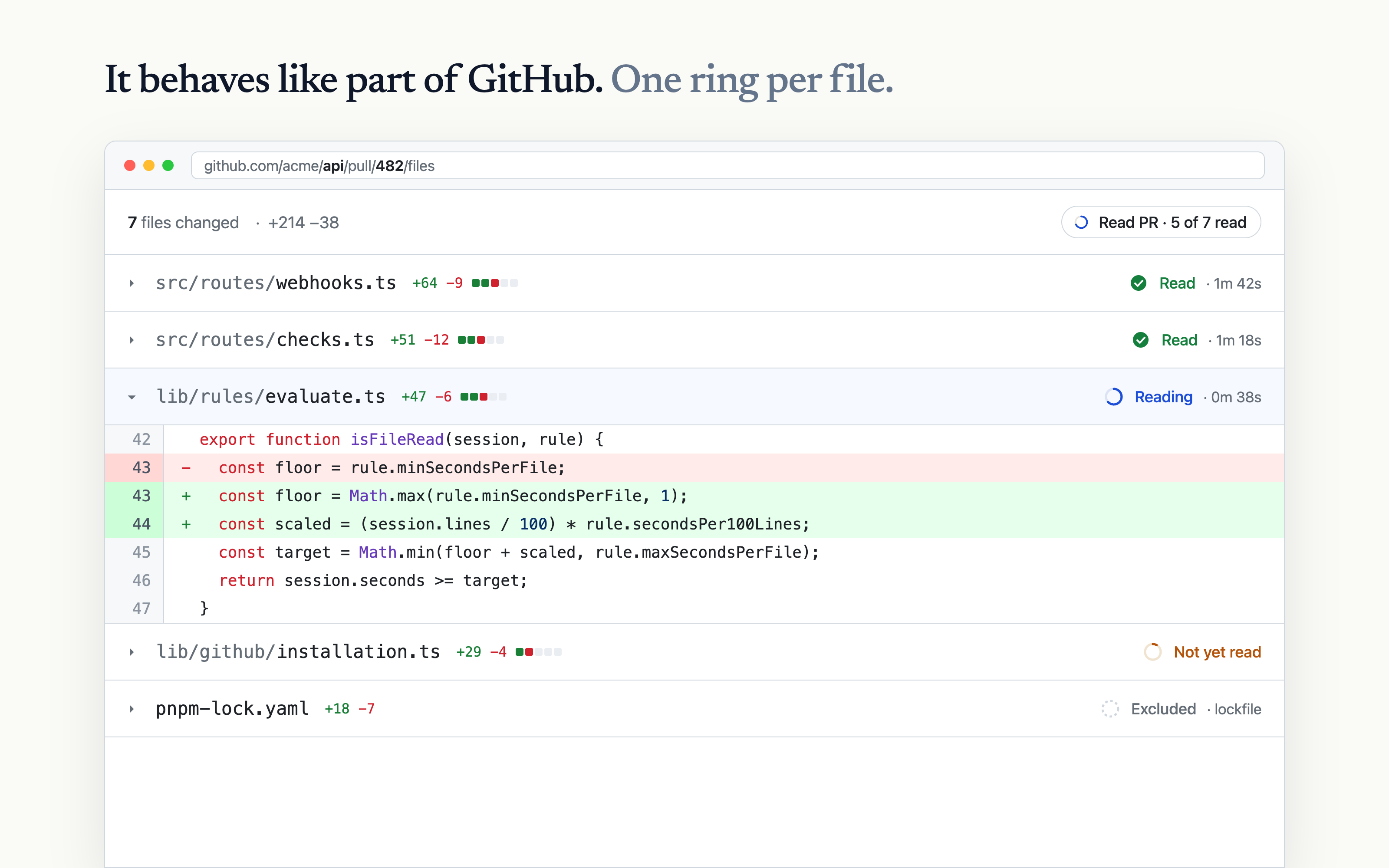
Inside the PR files view it injects two things, both styled with GitHub's own spacing and colors: a progress ring beside each file header, and a summary pill in the PR header with the running count, like "3 of 7 files read". The ring fill is the one piece of Read PR branding on the page: blue while reading, green when read.
Connecting
The extension authenticates with a token, prefixed rpr_, held in extension storage. You rarely handle it yourself: when the popup opens without a token, it checks whether the browser has a readpr.dev session and mints one silently. Signed out? The popup shows a sign-in link; sign in once and reopen it.
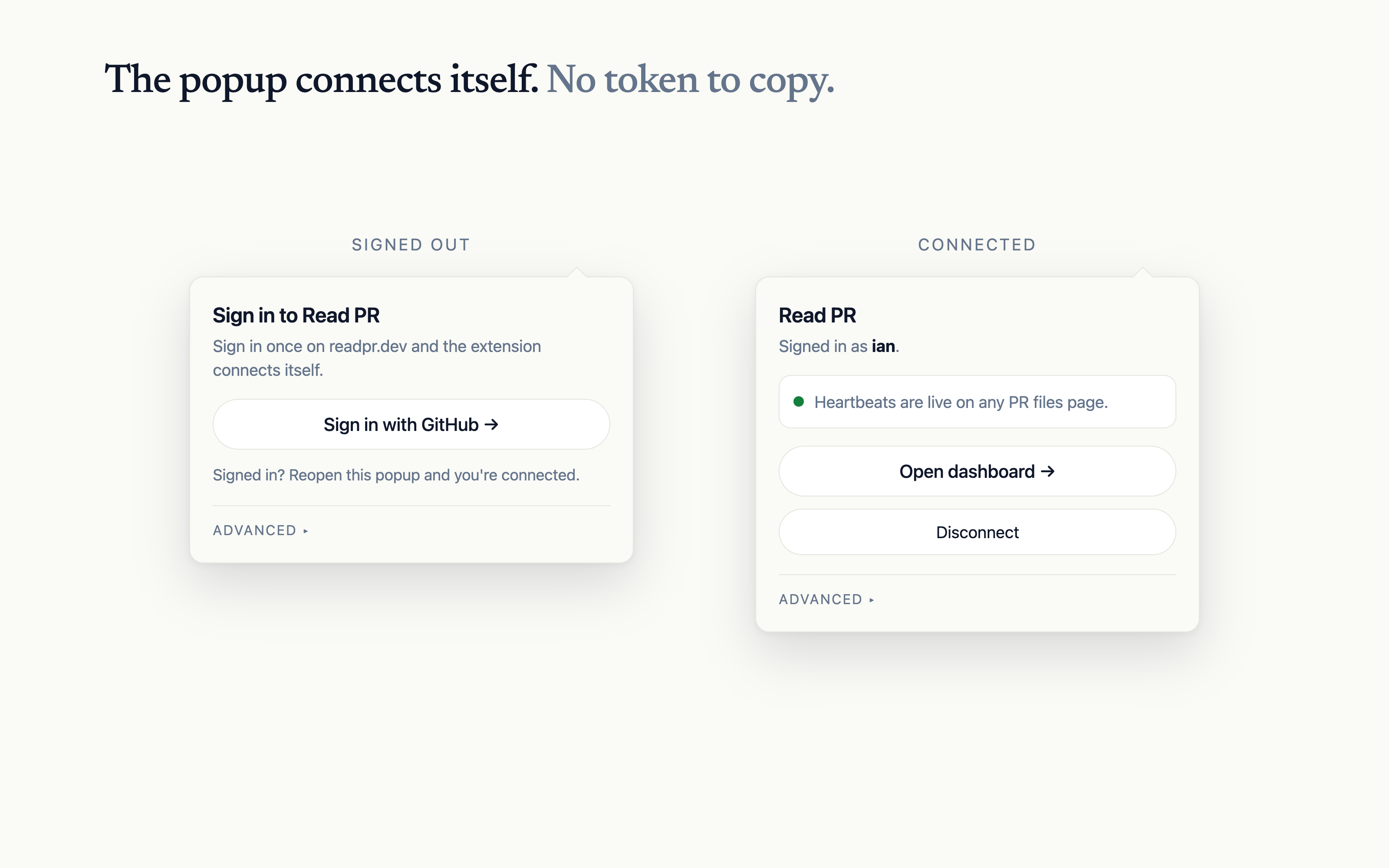
Disconnect in the popup removes the token locally and revokes it server-side. You can also revoke any token from dashboard settings (readpr.dev/dashboard/settings), which is the right move for a lost laptop.
Advanced
The popup's Advanced section covers two uncommon needs:
- API base URL: point the extension at a local or self-hosted deployment instead of readpr.dev.
- Paste a token: connect with a token created in the dashboard, for browsers where the silent bootstrap is not available. Pasted tokens are revoked from the dashboard, not the popup.