Docs · Start here
Getting started
Two installs and one sign-in. The next pull request your team opens will gate on reading. Plan on about two minutes.
Read PR has two halves. The GitHub App posts the check on every pull request. The browser extension measures reading and reports it. Install both, in either order, and they meet on your next PR.
Sign in with GitHub.
Go to readpr.dev/auth/signin and sign in with your GitHub account. This is the identity the review log attributes reading to, so every reviewer on the team signs in with their own account.
Add the GitHub App.
Open github.com/apps/read-pr and press Install. Pick the organization, then choose All repositories or only the repos you want watched. You can change the list at any time from GitHub's installation settings.
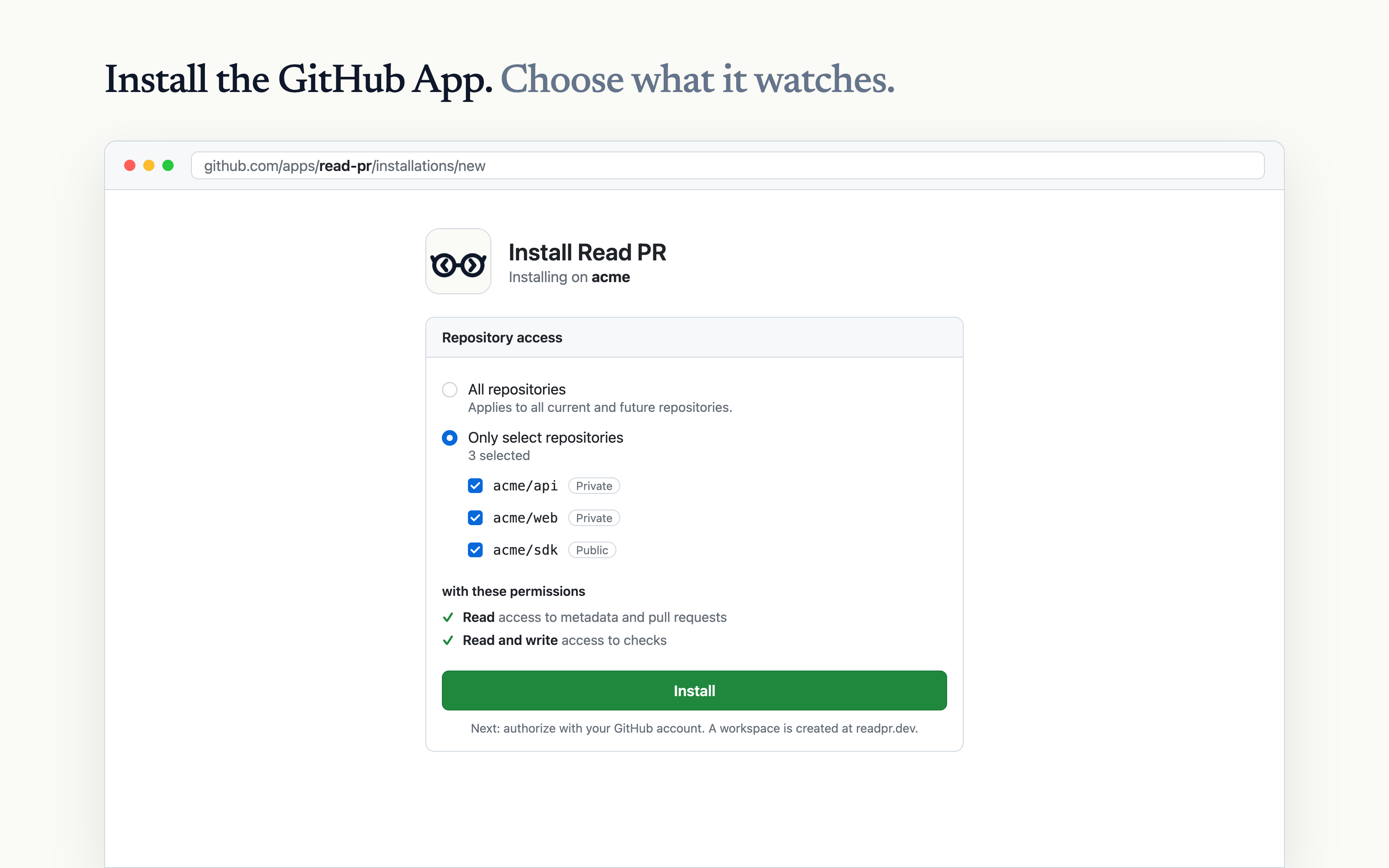
Installing creates a workspace at readpr.dev, registers the check run Read PR / Review complete, and starts a 14-day trial for private repos. Public repos are free, with no time limit.
Install the browser extension.
Every reviewer needs the extension. Add Read PR from the Chrome Web Store. It works in Chrome and in Chromium browsers that install from the Chrome Web Store.
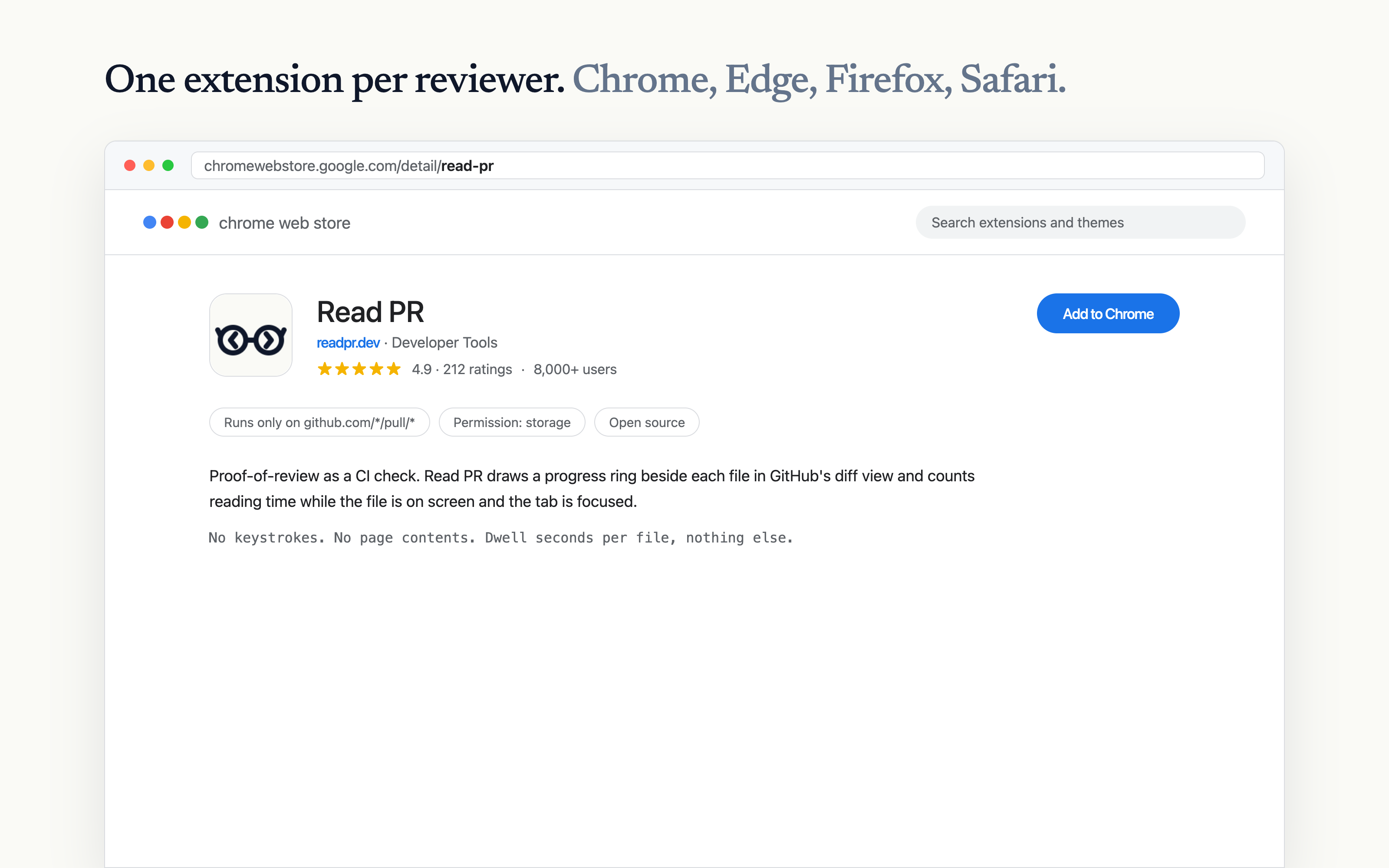
The extension asks for a single permission: storage. Its content script matches https://github.com/*/pull/*and nothing else. Your browser's network inspector shows every request it makes.
Connect the extension.
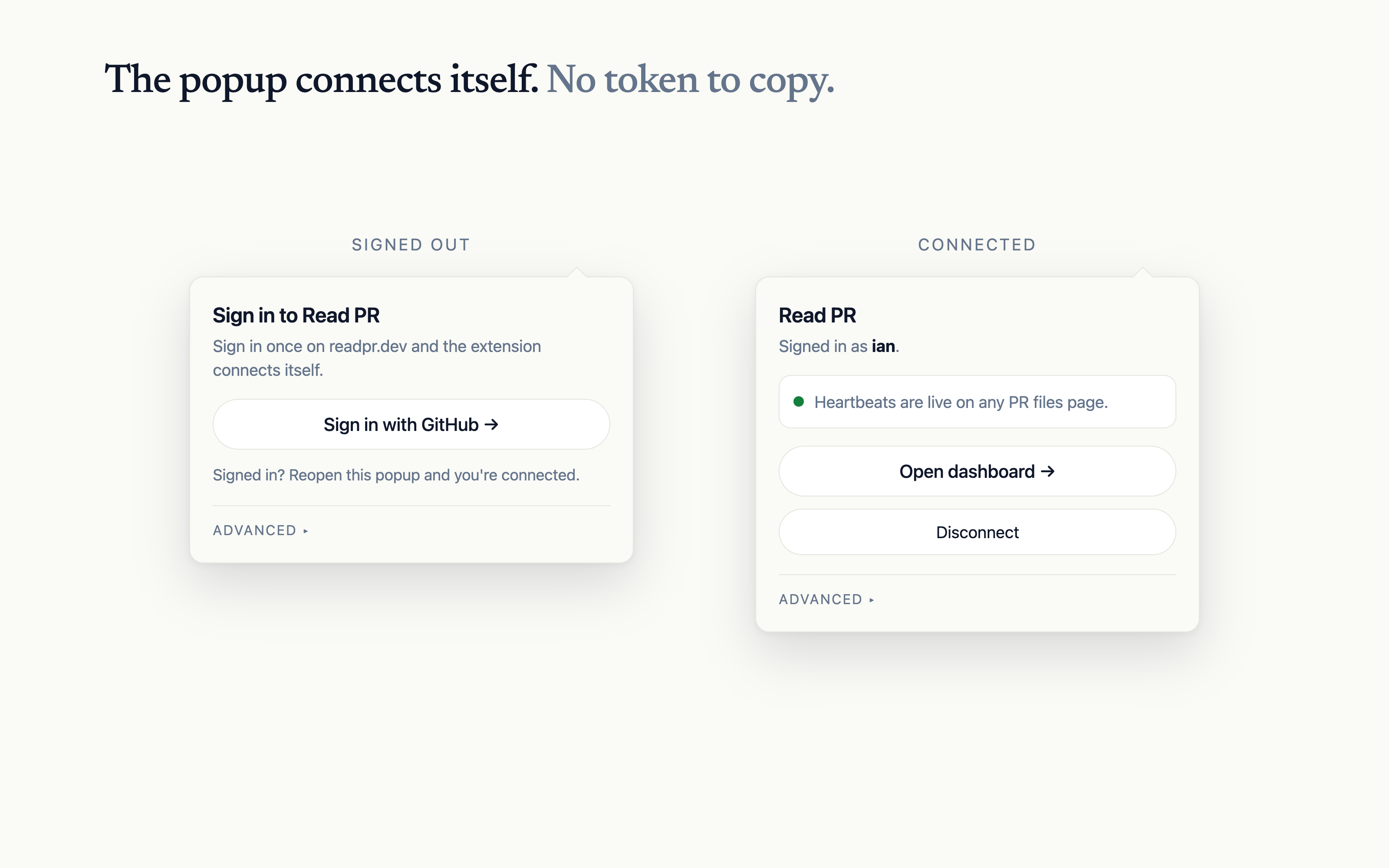
Click the Read PR icon in your browser toolbar. If this browser is signed in on readpr.dev, the extension mints its own token and reports Signed in as you. Nothing else to do.
Read your first pull request.
Open any pull request on a watched repo and go to the Files changed tab. A progress ring sits beside each file header. Rings fill blue while you read and turn green when a file meets its threshold. Lockfiles and generated files are excluded by default and marked as such.
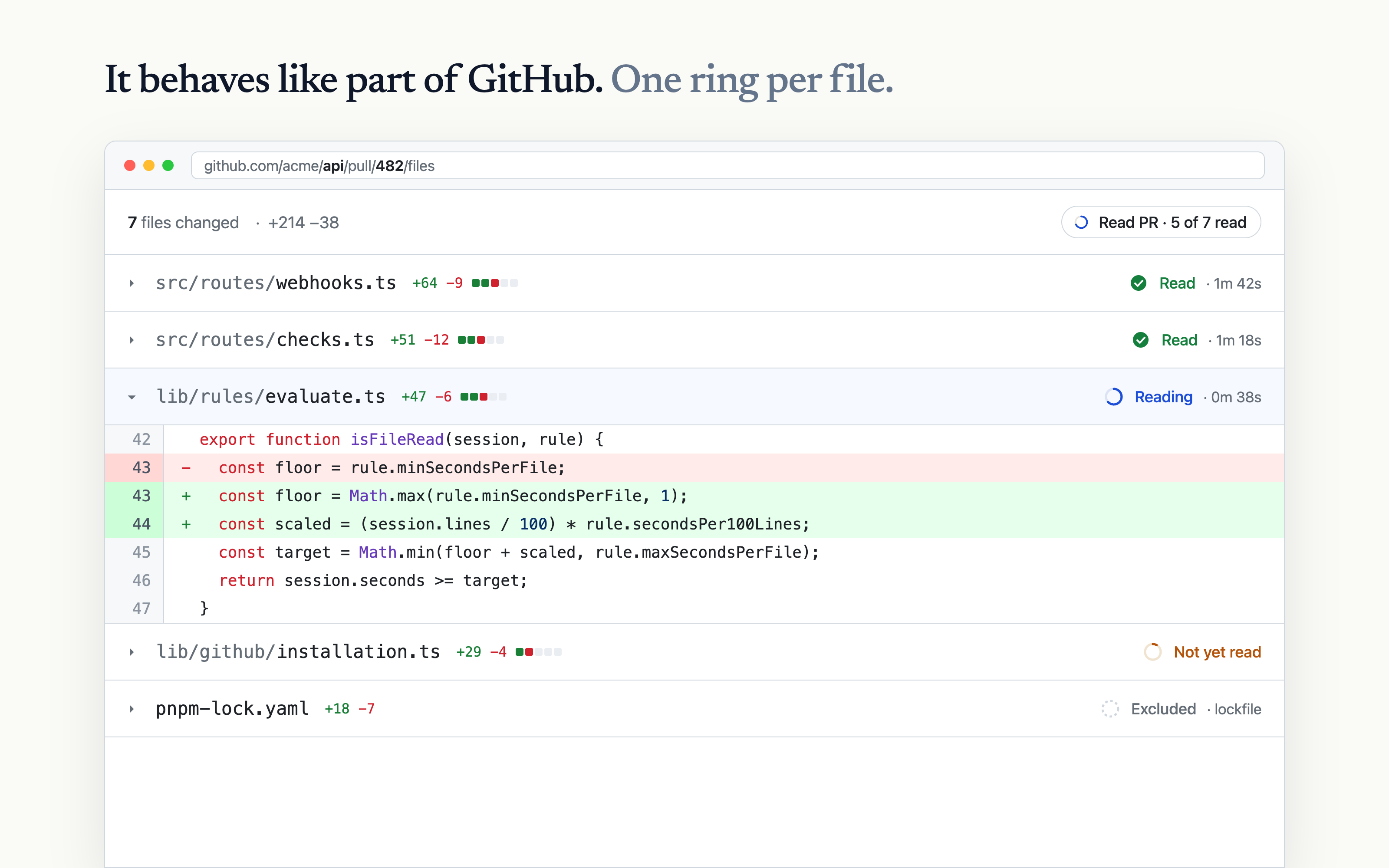
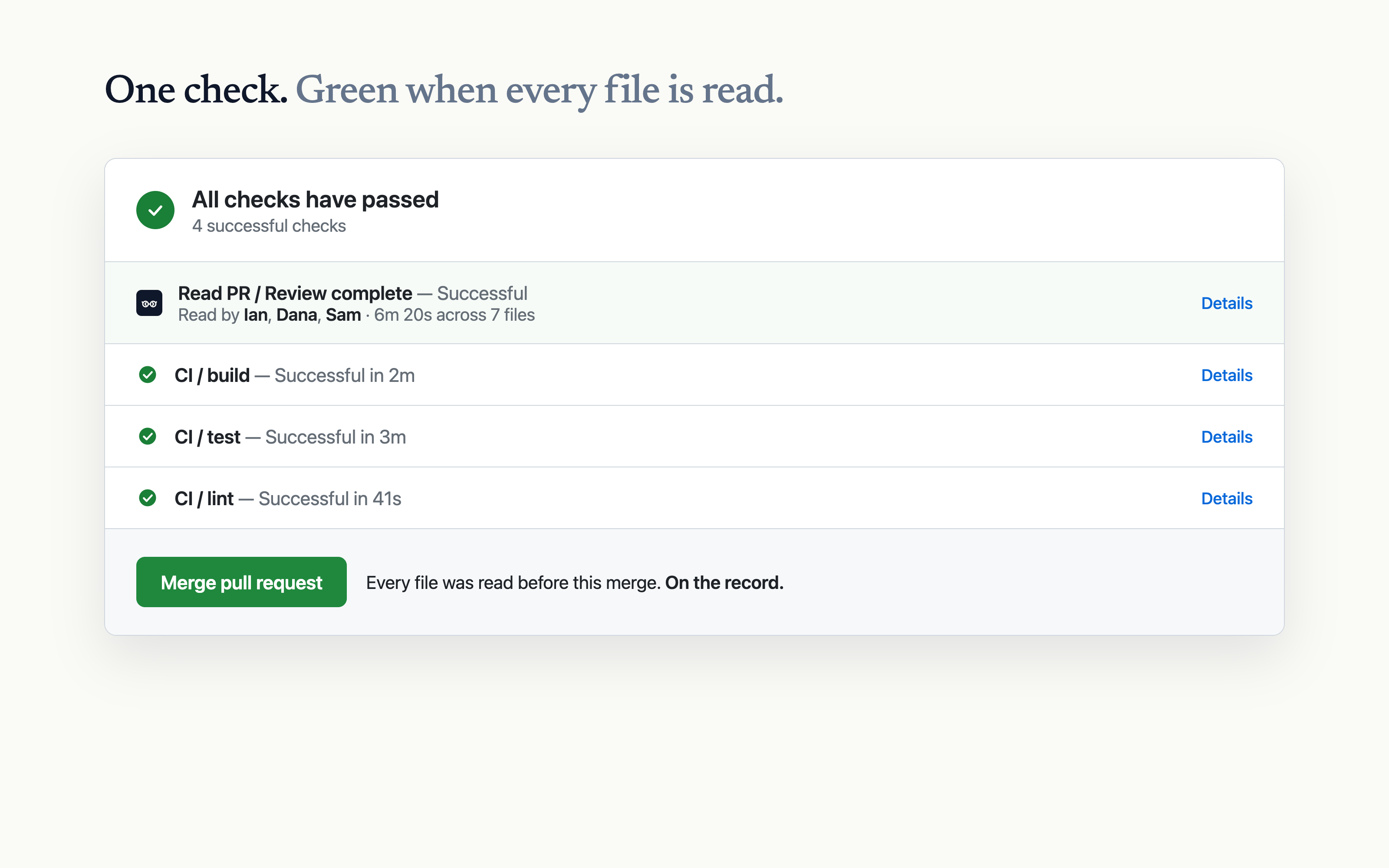
When every file is read, the check completes:
Make the check required. (Optional)
The check reports on every PR either way. To block merges until it passes, add it to branch protection:
- Repo Settings → Branches → your default branch rule.
- Enable Require status checks to pass and search for
Read PR / Review complete.
Or from the command line:
gh api repos/:owner/:repo/branches/main/protection \
  --field 'required_status_checks.contexts[]=Read PR / Review complete'
Next
- Tune the reading rules for your team's pace: thresholds, caps, and exclusions.
- See exactly how time is measured, including what does not count.
- Troubleshooting, if the check or the rings have not appeared.